Skip to content
Material Design 1
Main Navigation
v3
v2
v1

English

简体中文
繁體中文
Español
Français
Русский
Português – Brasil
Deutsch
日本語
한국어
Italiano
Polski
Türkçe
čeština
magyar

English

简体中文
繁體中文
Español
Français
Русский
Português – Brasil
Deutsch
日本語
한국어
Italiano
Polski
Türkçe
čeština
magyar

Appearance

Sidebar Navigation

Material Design

Environment

Material properties

Elevation & shadows

What's new

Motion

Material motion

Duration & easing

Movement

Transforming material

Choreography

Creative customization

Style

Color

Icons

Imagery

Typography

Writing

Layout

Principles

Units & measurements

Metrics & keylines

Structure

Responsive UI

Split screen

Components

Bottom navigation

Bottom sheets

Buttons

Buttons: Floating Action Button

Cards

Chips

Data tables

Dialogs

Dividers

Expansion panels

Grid lists

Lists

Lists: Controls

Menus

Pickers

Progress & activity

Selection controls

Sliders

Snackbars & toasts

Steppers

Subheaders

Tabs

Text fields

Toolbars

Tooltips

Widgets

Patterns

Confirmation & acknowledgement

Data formats

Empty states

Errors

Fingerprint

Gestures

Help & feedback

Launch screens

Loading images

Navigation

Navigation drawer

Navigational transitions

Notifications

Offline states

Permissions

Scrolling techniques

Search

Selection

Settings

Swipe to refresh

Growth & communications

Introduction

Onboarding

Feature discovery

Gesture education

Usability

Accessibility

Bidirectionality

Platforms

Platform adaptation

Android

Resources

Color palettes

Devices

Layout templates

Roboto & Noto fonts

Sticker sheets & icons

Shadows

On this page

Confirmation & acknowledgement ​

When a user invokes an action in your app, confirm or acknowledge that action through text.

Usage ​

Confirming and acknowledging actions can help alleviate uncertainty about things that have happened or will happen. It also prevents users from making mistakes they might regret.

  • Confirming involves asking the user to verify that they want to proceed with an action
  • Acknowledging is displaying text to let the user know that the action they chose has been completed

Not all actions warrant a confirmation or an acknowledgment.

Confirmation ​

A confirmation asks the user to verify that they truly want to proceed with the action they just invoked. It may be paired with a warning or critical information related to that action.

Modal dialog titles for confirmations should be meaningful and echo the requested action.

Confirmation isn’t necessary when the consequences of an action are reversible or negligible. For example, if a check mark shows an image has been selected, further confirmation is unnecessary.
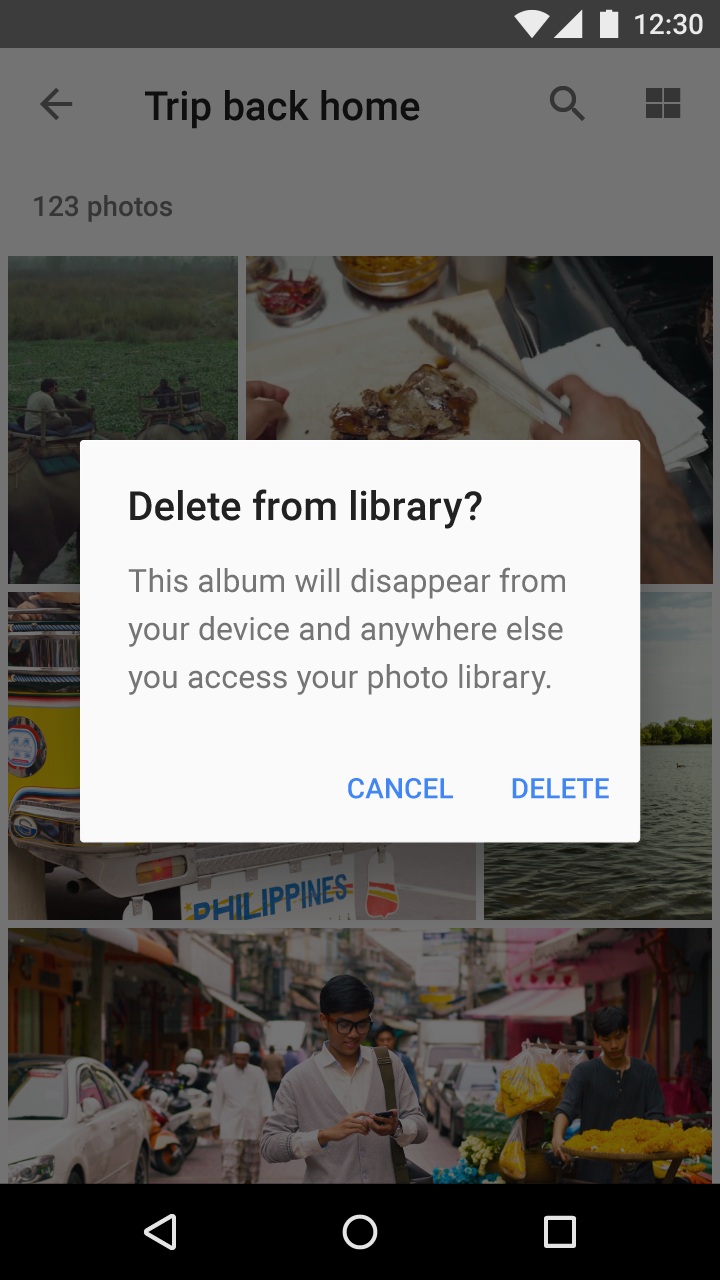

Material Design alert for album deletion confirmation
The user has requested to delete an album from their library. An alert appears to confirm this action and inform the user that the album will no longer be available from any device.
Material Design: Touch to share via Android Beam
After initiating Android Beam, the user is prompted to touch the content to be shared. If they decide not to proceed, they simply move their phone away.

Acknowledgement ​

Acknowledgement removes uncertainty about implicit operations that the system is taking. It may be paired with an option to undo the action.
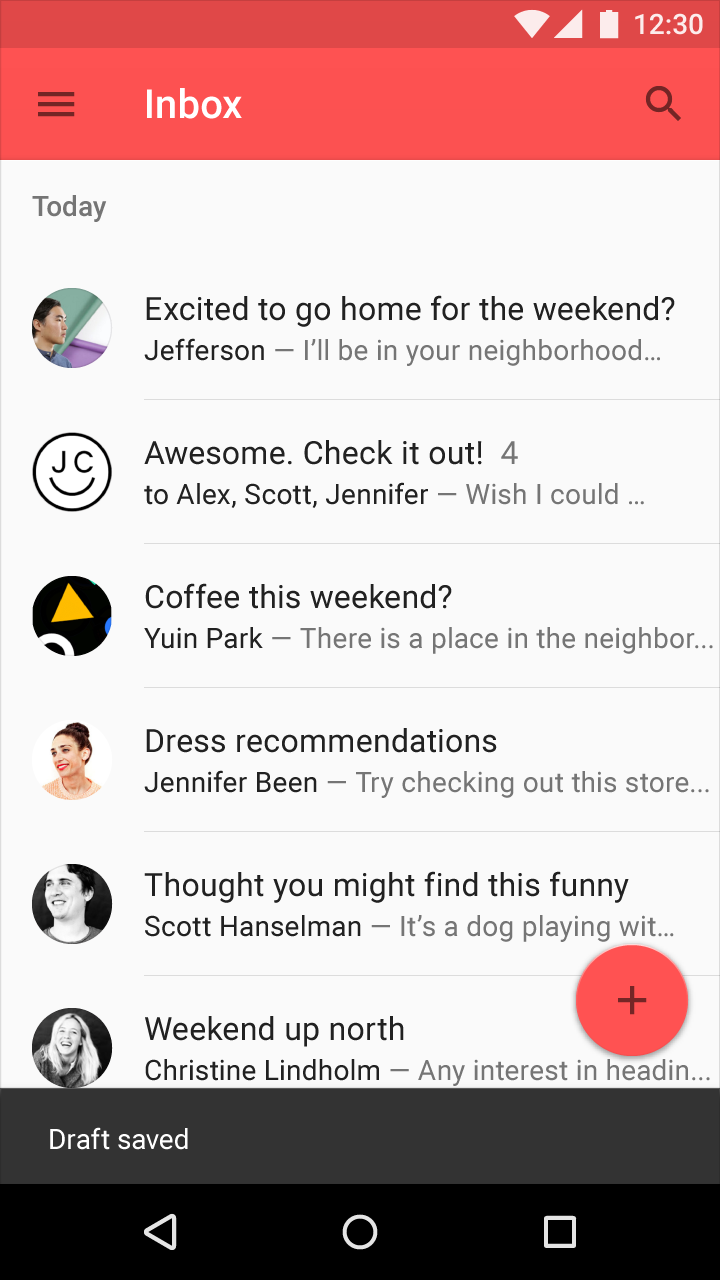
Material Design: Email draft saved with toast notification
The draft of an email is saved if the user navigates back or up from the compose screen. An acknowledgment in the form of a toast appears, then fades after a few seconds.
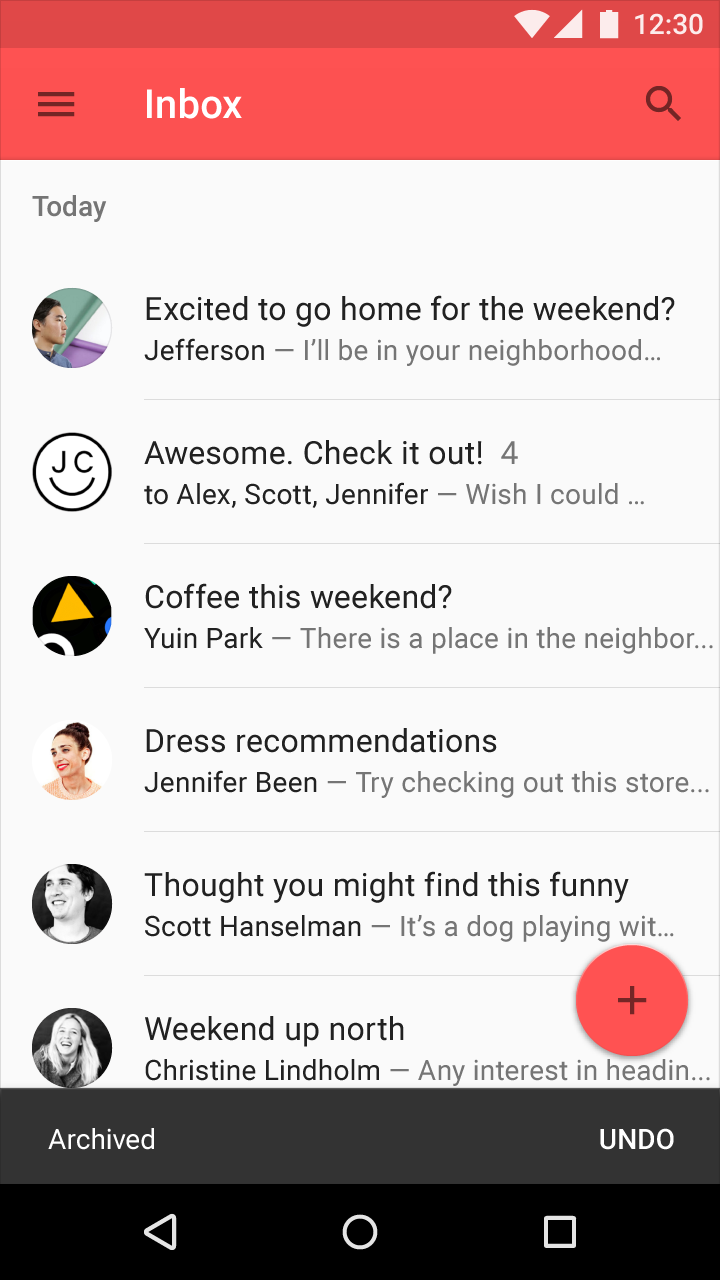
Material Design: Undo option after deleting a conversation
After the user deletes a conversation from the list view, an acknowledgment appears with an undo option. It remains until the user takes an unrelated action, such as scrolling the list.
Pager
Previous pageWidgets
Next pageData formats

Released under the Apache-2.0

Copyright © 2014-Present Google

https://m1.material.io/patterns/confirmation-acknowledgement.html

Released under the Apache-2.0

Copyright © 2014-Present Google