Skip to content
Material Design 2
Main Navigation
v3
v2
v1

English

简体中文
繁體中文
Español
Français
Русский
Português – Brasil
Deutsch
日本語
한국어
Italiano
Polski
Türkçe
čeština
magyar

English

简体中文
繁體中文
Español
Français
Русский
Português – Brasil
Deutsch
日本語
한국어
Italiano
Polski
Türkçe
čeština
magyar

Appearance

Sidebar Navigation

Material System

Introduction

Material studies

About our Material studies

Basil

Crane

Fortnightly

Owl

Rally

Reply

Shrine

Material Foundation

Environment

Surfaces

Elevation

Light and shadows

Layout

Understanding layout

Pixel density

Responsive layout grid

Spacing methods

Component behavior

Applying density

Navigation

Understanding navigation

Navigation transitions

Search

Color

The color system

Applying color to UI

Color usage

Text legibility

Dark theme

Typography

The type system

Understanding typography

Language support

Sound

About sound

Applying sound to UI

Sound attributes

Sound choreography

Iconography

Product icons

System icons

Animated icons

Shape

About shape

Shape and hierarchy

Shape as expression

Shape and motion

Applying shape to UI

Motion

Understanding motion

The motion system

Speed

Choreography

Customization

Interaction

Gestures

Selection

States

Communication

Confirmation & acknowledgement

Data formats

Data visualization

Empty states

Help & feedback

Imagery

Launch screen

Onboarding

Offline states

Writing

Machine learning

Machine learning patterns

Object detection: live camera

Object detection: static image

Barcode Scanning

Material Guidelines

Material Theming

Overview

Implementing your theme

Usability

Accessibility

Bidirectionality

Platform guidance

Android bars

Android fingerprint

Android haptics

Android icons

Android navigating between apps

Android notifications

Android permissions

Android slices

Android split-screen

Android swipe-to-refresh

Android text selection toolbar

Android widget

Cross-platform adaptation

Components

App bars: bottom

App bars: top

Backdrop

Banners

Bottom navigation

Buttons

Buttons: floating action button

Cards

Checkboxes

Chips

Data tables

Date pickers

Dialogs

Dividers

Image lists

Lists

Menus

Navigation drawer

Navigation rail

Progress indicators

Radio buttons

Sheets: bottom

Sheets: side

Sliders

Snackbars

Switches

Tabs

Text fields

Time pickers

Tooltips

On this page

Surfaces ​

Material Design has three-dimensional qualities that are reflected in its use of surfaces, depth, and shadows.

Material environment ​

The physical world ​

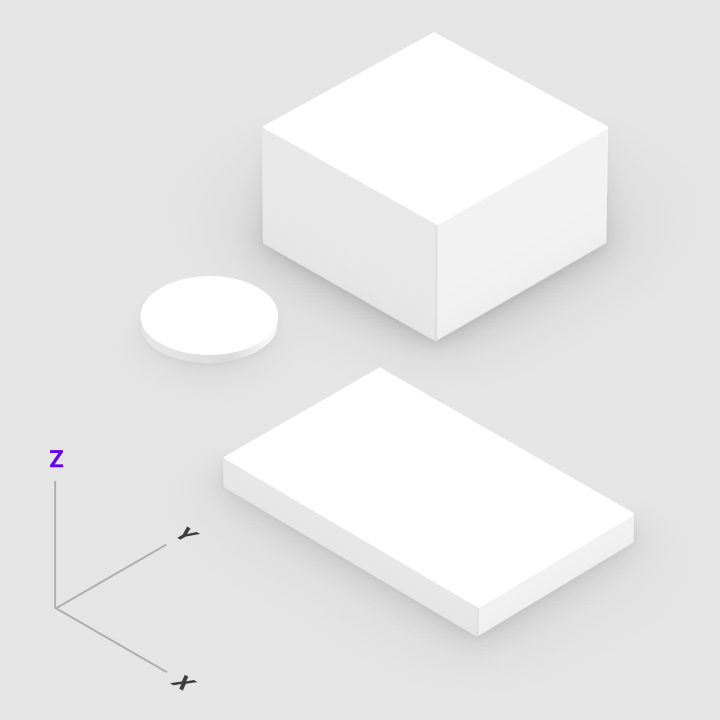
In the physical world, objects can be stacked or attached to one another, but cannot pass through each other. They cast shadows and reflect light.

Material Design reflects these qualities in how surfaces are displayed and move across the Material UI. Surfaces, and how they move in three dimensions, are communicated in ways that resemble how they move in the physical world. This spatial model can also be applied consistently across apps.


Light and Shadows

Material surfaces cast shadows when they obstruct light sources.

Related article

Depth ​

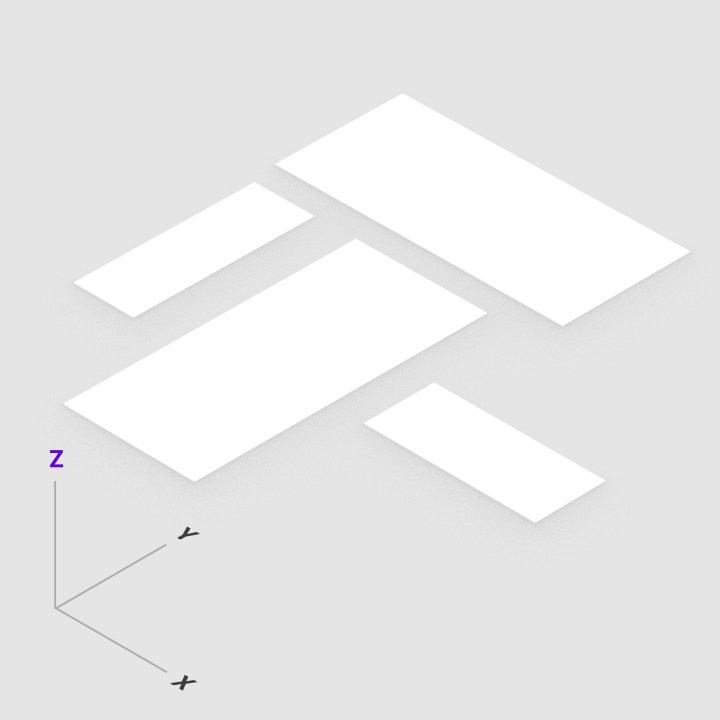
Material Design UIs are displayed in an environment that expresses three-dimensional (3D) space using light, surfaces, and cast shadows. All elements in the Material environment move horizontally, vertically, and at varying depths along the z-axis. Depth is depicted by placing elements at various points along the positive z-axis extending towards the viewer.

On the web, the UI expresses 3D space by manipulating the y-axis.
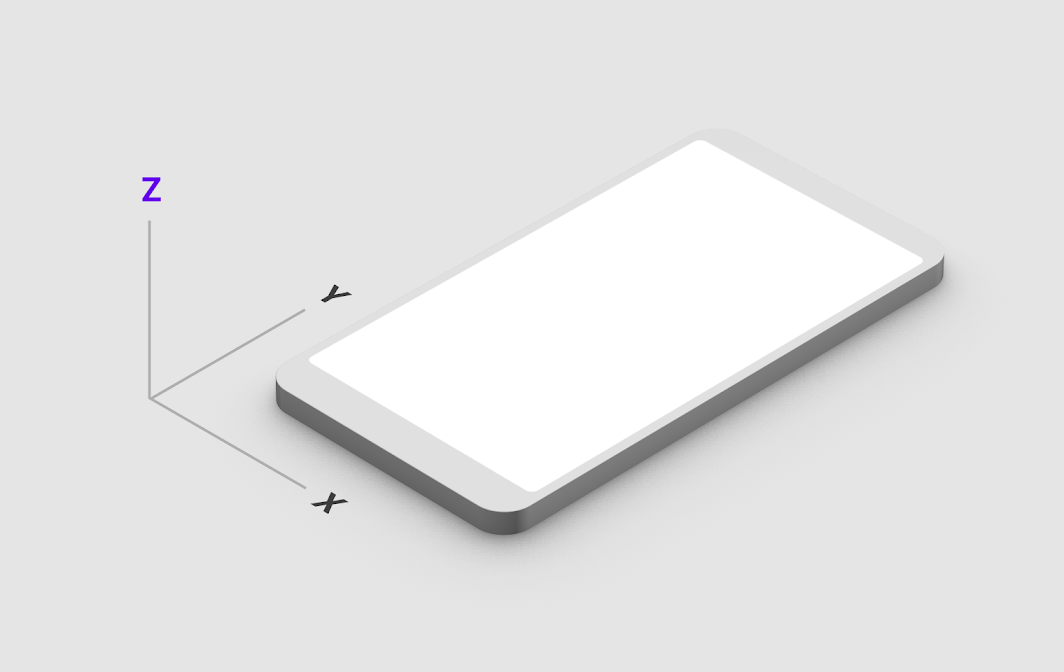
3D space with x, y, and z axes

Properties ​

Material surfaces have consistent, unchangeable characteristics and behaviors across Material Design.

Dimensions ​

Material has varying x & y dimensions (measured in dp) and a uniform thickness (1dp).
Do: the height and width of material can vary

Do

The height and width of material can vary.
Don't: material is always 1dp thick

Don't

Material is always 1dp thick.

Pixel density

Screen pixel density and resolution vary depending on the platform.

Related article

Shadows ​

Material surfaces at different elevations cast shadows.

Do

Shadows show the elevation of different Material surfaces.
1. Top view
2. Isometric 3D view showing the shadow cast by light when the material moves upwards

Don't

Don’t express shadows without changing a surface’s elevation.
1. Top view
2. Isometric 3D view depicts a shadow using only color, rather than light and elevation

Resolution ​

Material has infinite resolution.

Material has infinite resolution.

Content ​

Content is displayed in any shape and color on Material. Content does not add thickness to Material. Content is expressed without being a separate layer.

Do

Material can display any shape and color. Content can behave independent of Material, but is limited within the bounds of Material.

Do

Content behavior can be independent of surface behavior.

Do

Content behavior can depend on Material behavior.

Physical properties ​

Material is solid. User input and interaction cannot pass through material.
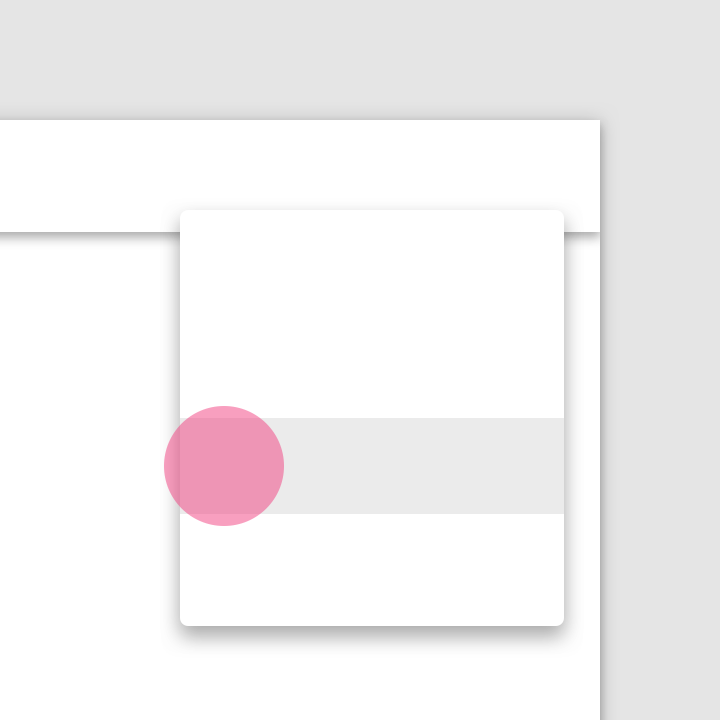
Do: input events only affect the surface of Material

Do

Input events only affect the surface of Material.
Don't: input events cannot pass through Material

Don't

Input events cannot pass through Material.

Multiple Material elements cannot occupy the same point in space simultaneously.
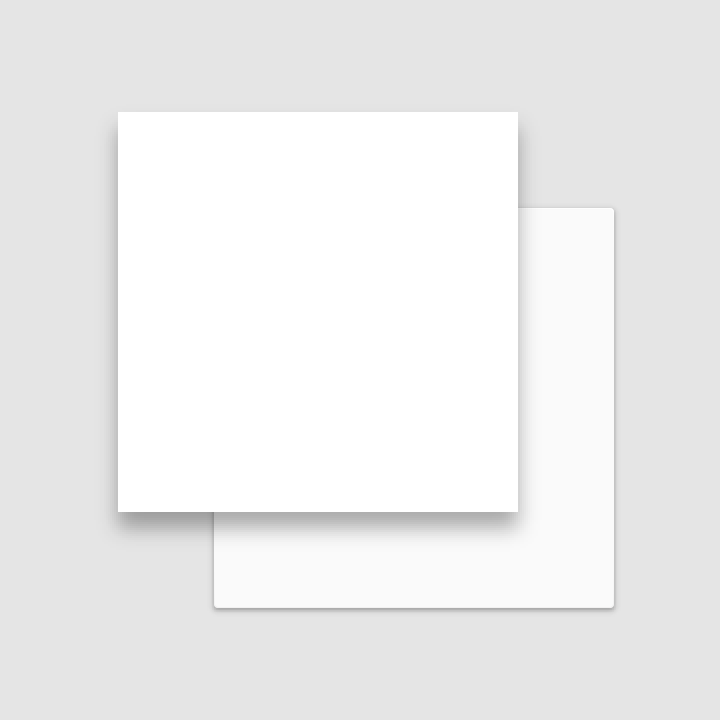
Do: prevent multiple Material elements from simultaneously occupying the same point in space

Do

Prevent multiple Material elements from simultaneously occupying the same point in space, such as by separating elements with elevation.
Don't: multiple Material elements cannot occupy the same point in space simultaneously

Don't

Multiple Material elements cannot occupy the same point in space simultaneously.

Material cannot pass through other Material. For example, one Material surface cannot pass through another Material surface when changing elevation.

Don't

Material cannot pass through other Material.

Material does not behave like a gas.

Don't

Material does not behave like a gas.

Do

Material enters and exits through changes in opacity, size, or position.

Material is not fluid like a liquid or gel, though it may display content with these properties.

Don't

Material does not behave like a liquid or gel.

Don't

Material does not behave like a liquid.

Transforming Material ​

Material can change shape.

Material can change shape.

Material can change opacity.
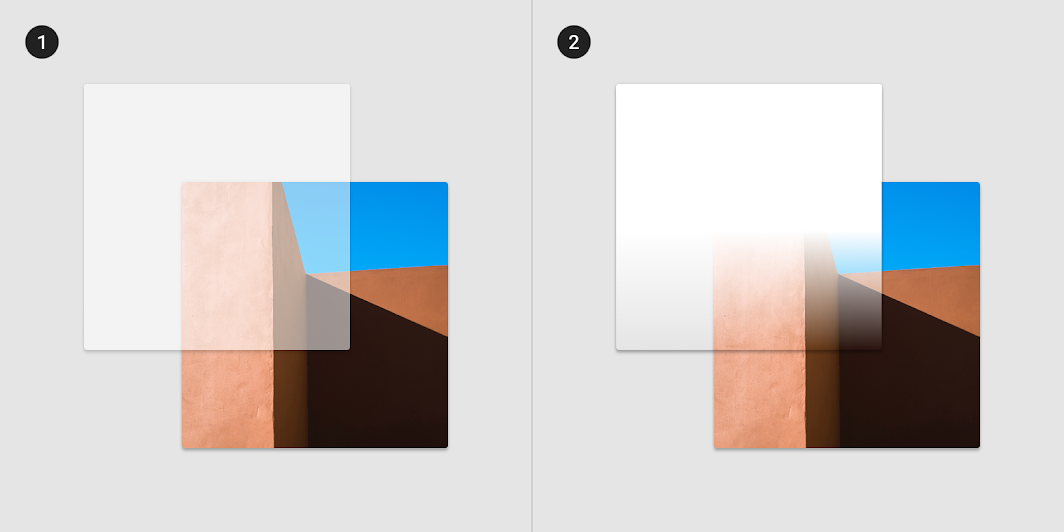
Material can change opacity uniformly across its entire surface
1. Material can change opacity uniformly across its entire surface.
2. Material can change opacity across a portion of its surface.

Material grows and shrinks only along its plane.

Do

Material grows and shrinks only along its plane.

Material bends or folds within the depth of the UI.

Don't

Material never bends or folds in ways that exceed the depth of the UI.

Material surfaces can join together to become a single Material surface.

Multiple Material surfaces can join together to become a single surface.

When split, Material can rejoin. For example, if you remove a portion of Material from a surface, the surface will become whole again.

Material can split and become whole again.

Movement ​

Material can be spontaneously generated or dismissed anywhere in the environment.

Material can be spontaneously generated or dismissed.

Material can move along any axis.

Material can move along various axes.

Material surfaces can coordinate their motion.

Material surfaces can coordinate their motion.

Material motion along the z-axis is typically a result of user interaction.

Material surfaces exhibiting z-axis motion prompted by user interaction.

Attributes ​

Basic Material surface ​

The basic Material surface is opaque white, with 1dp thickness, and casts a shadow. All UI elements in Material Design result from modifications to this surface.

Behavior ​

Material surfaces can behave in certain ways:

  • Rigid surfaces remain the same size through all interactions.
  • Stretchable surfaces can grow or shrink along one or more edges up to a size limit, then behave as rigid surfaces.
  • Pannable surfaces remain the same size throughout interactions. They can display additional content upon scrolling within the area, until reaching a content limit. When this limit is reached, they behave as rigid surfaces in that scroll direction.
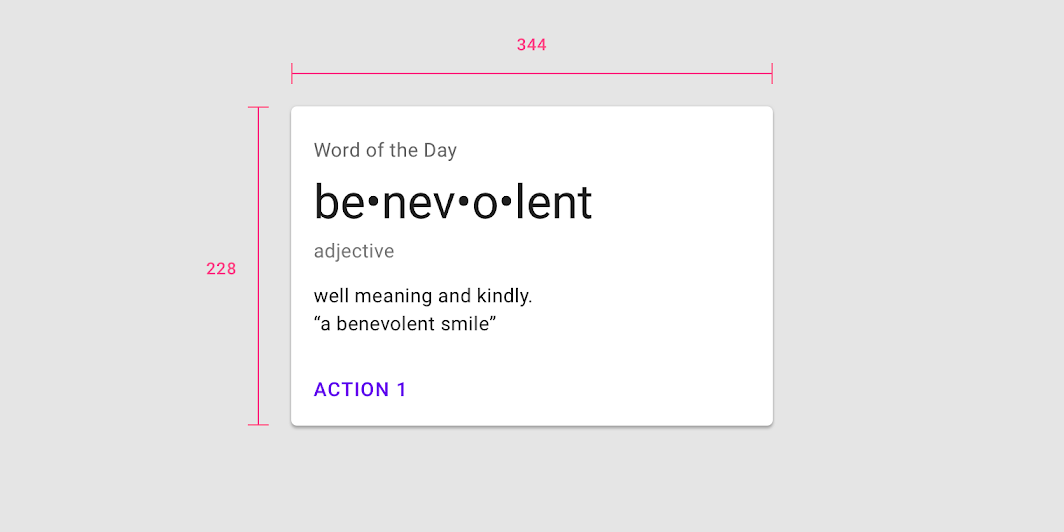
Material surface dimensions can be fixed with all content initially visible
Material surface dimensions can be fixed with all content initially visible. The surface retains that size through all interactions.

Material surface dimensions can grow along one or more axes to accommodate additional content.

Material surface dimensions can remain rigid, but content can scroll or pan across the surface.

Composite surfaces ​

Surfaces can be divided into areas which display different types of behavior.

A single surface can contain multiple pannable surfaces, such as an embedded map (1) that pans independently of a scrollable list (2).

A card can stretch to display a region that scrolls independently of other card content.

Stretchable surfaces ​

A stretchable surface can be stretched before reaching a limit, at which point the entire surface becomes rigid. Surfaces can stretch vertically, horizontally, or in both directions.

Typically, user interaction with a surface will stretch it in one direction. For example, tapping "more details" can cause a card to grow vertically and display additional content.

Material stretch direction can be exclusively vertical.

Material stretch direction can be exclusively horizontal.

Material stretch direction can be along both horizontal and vertical axes, either independently or simultaneously.

Surface positioning and movement (x/y) ​

Surfaces can remain in a fixed position on the x- and y-axes, or can be moveable in any direction.

Surface movement can be confined to a single axis, allow movement along a single axis at a time, or allow movement along both axes simultaneously.

Surfaces can remain in a fixed position. The top app bar (1) remains in a fixed position while the card collection (2) scrolls only vertically behind it.

Surfaces (1,2) can move in any direction, although movement can be confined to a single axis at a time.

Surfaces can move in any direction.

Surfaces can move independently of each other, or their movement can affect or be dependent upon the movement of other surfaces.

A dependency can be based on a variety of mechanics, such as nearby surfaces moving when another surface expands, or the proportion of movement between surfaces moving in parallax.

Surfaces can move independently of each other.

One surface’s movement can depend upon another’s movement.

Surface opacity ​

Material surfaces can be transparent, semi-transparent, or opaque.

Text on transparent and semi-transparent surfaces may require background treatment to preserve legibility.

Transparent surfaces lack clear edges, making it difficult to determine where surfaces begin and end, and which surface content belongs to.

Caution

1. Content on transparent or semi-transparent surfaces may need a background treatment to preserve legibility.
2. Isometric view

Don't

1. Don’t use transparent surfaces, as they have no opacity, making it difficult to identify the surface on which content appears. This top app bar is transparent, making it unclear if the text appears on the app bar or the surface behind it.
2. Isometric view

Legibility

Color plays an important role in text legibility.

Related article

Scrim ​

Scrims are temporary treatments that can be applied to Material surfaces for the purpose of making content on a surface less prominent. They help direct user attention to other parts of the screen, away from the surface receiving a scrim.

Scrims can be applied in a variety of ways, including:

  • Darkening or lightening the surface and its content
  • Reducing the opacity of the surface and its content

Multiple surfaces on a screen at a time can display scrims. Scrims can appear at any elevation, whether in the foreground or background.
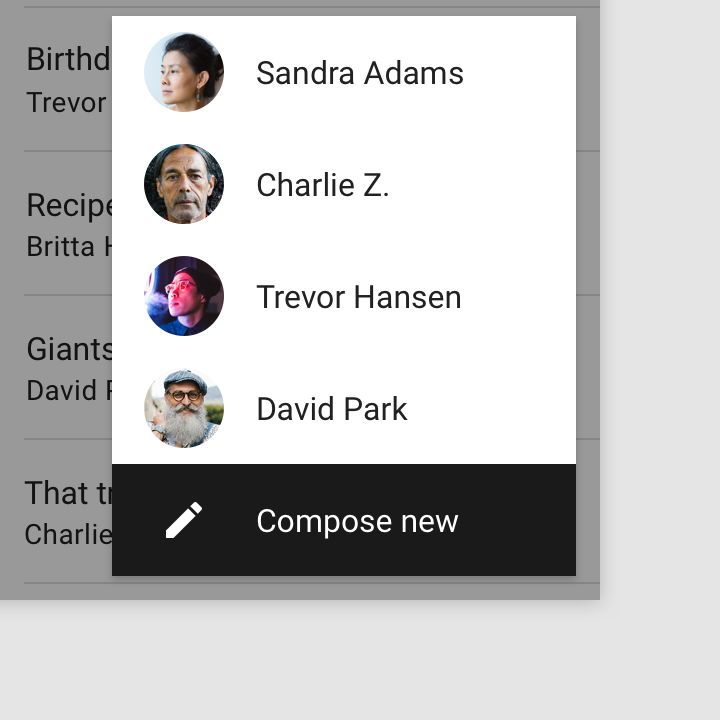
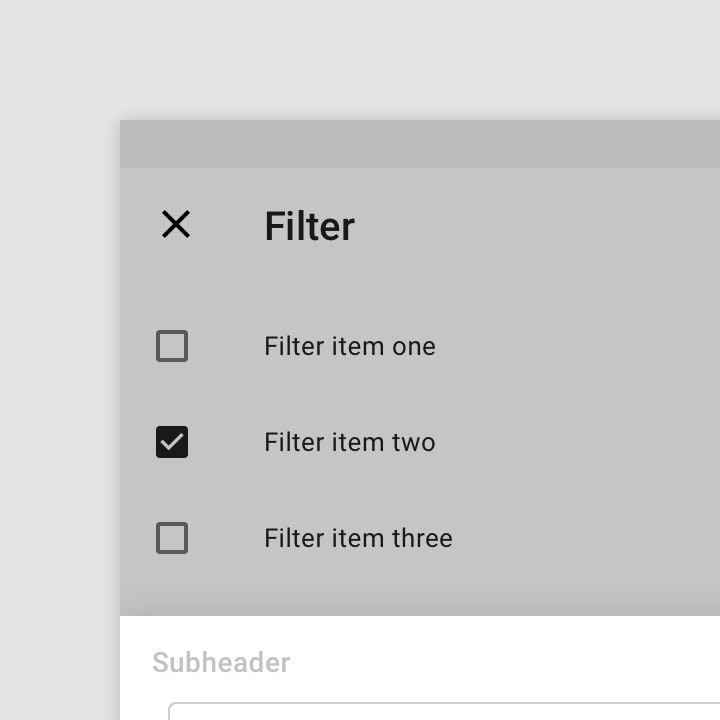
Foreground content attracts more attention when background content displays a scrim
Foreground content attracts more attention when background content displays a scrim.
A scrim lightens content displayed on the front surface and directs attention to the surface behind it
A scrim lightens content displayed on the front surface and directs attention to the surface behind it.
Pager
Previous pageShrine
Next pageElevation

Released under the Apache-2.0

Copyright © 2018-Present Google

https://m2.material.io/design/environment/surfaces.html

Released under the Apache-2.0

Copyright © 2018-Present Google